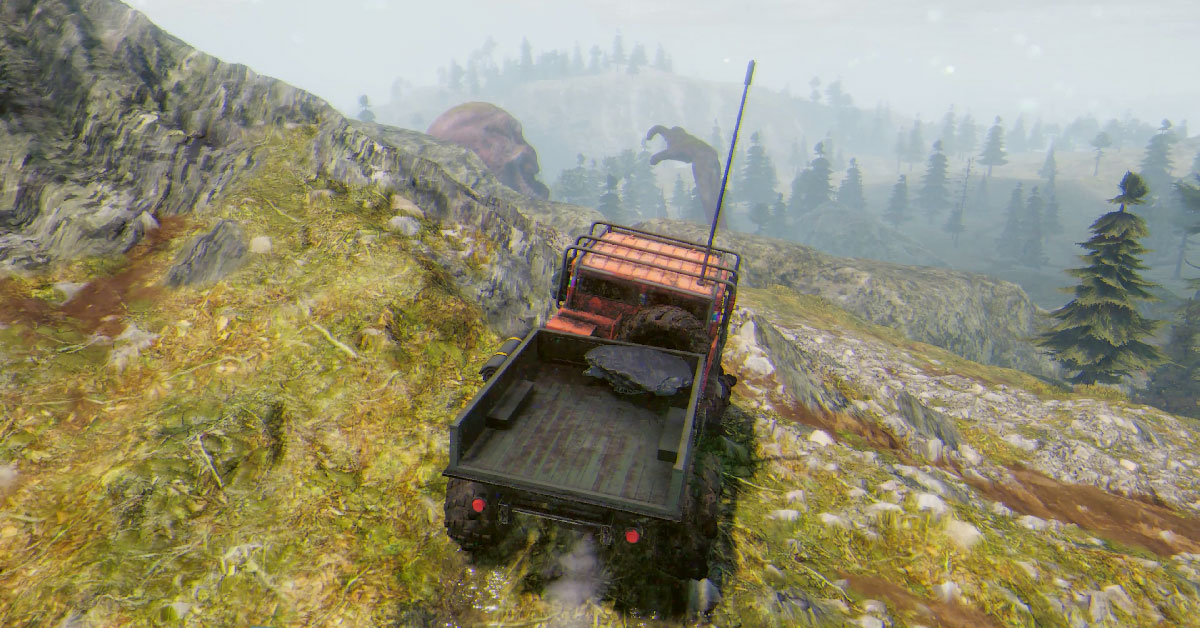
I’ve made trailers as freelance projects since 2018 and I’m happy to make trailers for most genres, but sometimes a project comes up that aligns with my interests especially well.
When Forklift Interactive, a publisher leaning towards complex, systemic games and simulators, which I’ve collaborated with a lot in the past year, offered me the opportunity to make an announcement trailer for Prospice (developed by Code Wakers), I was immediately intrigued. I got to drive off-road trucks in my military service, and seem to have played Spintires back in 2015. The setting of Prospice, combining off-road trucking with barren Northern landscapes and supernatural elements, was super interesting to me.
Once revealed, the trailer ended up getting over 300k views combined on GameTrailers and IGN channels. That shows that a lot of people share my intrigue towards the game, but also that the trailer did its job communicating its strengths. So here’s a case study about my part in writing the script, capturing and editing it.
Writing the script
My contact at the publisher asked me to plan the trailer along the idea of an employee training video, with a similar vibe as on this reference he linked:
Some other videos I looked at for how others have handled similar ideas, were a recruitment ad in the Starship Troopers film, and the trailers for Helldivers 2.
They’re parodies of propaganda films that alternate between dark and hilarious, but for something more aligned with the more serious tone of Prospice, some old US army training films the developers linked me later were the best target.
I set out to play the game and thinking about the script and structure of the trailer. There’s a codex providing some background story to the situation in the island. I gleaned from it everything I could in terms of details that would provide some of the unique flavor of the game to the narration.
When I think about wordings for trailers, I usually try to make them as approachable as possible. However, in the context of an onboarding video, I think concepts like “dream corruption” and “13th Strategic Logistics Company” (taken as such from the game) are great because they highlight the depth of the game world and engage the viewer’s imagination.
I wrote a rough version of the script and used Claude to generate some suggestions to the wordings (as I often do). In this case, with the buttoned up, official tone that was needed for the text, I think the contrast of AI’s result over what I could’ve done on my own, was especially apparent.
Here’s the original outline of the trailer I linked to the clients for assessment:
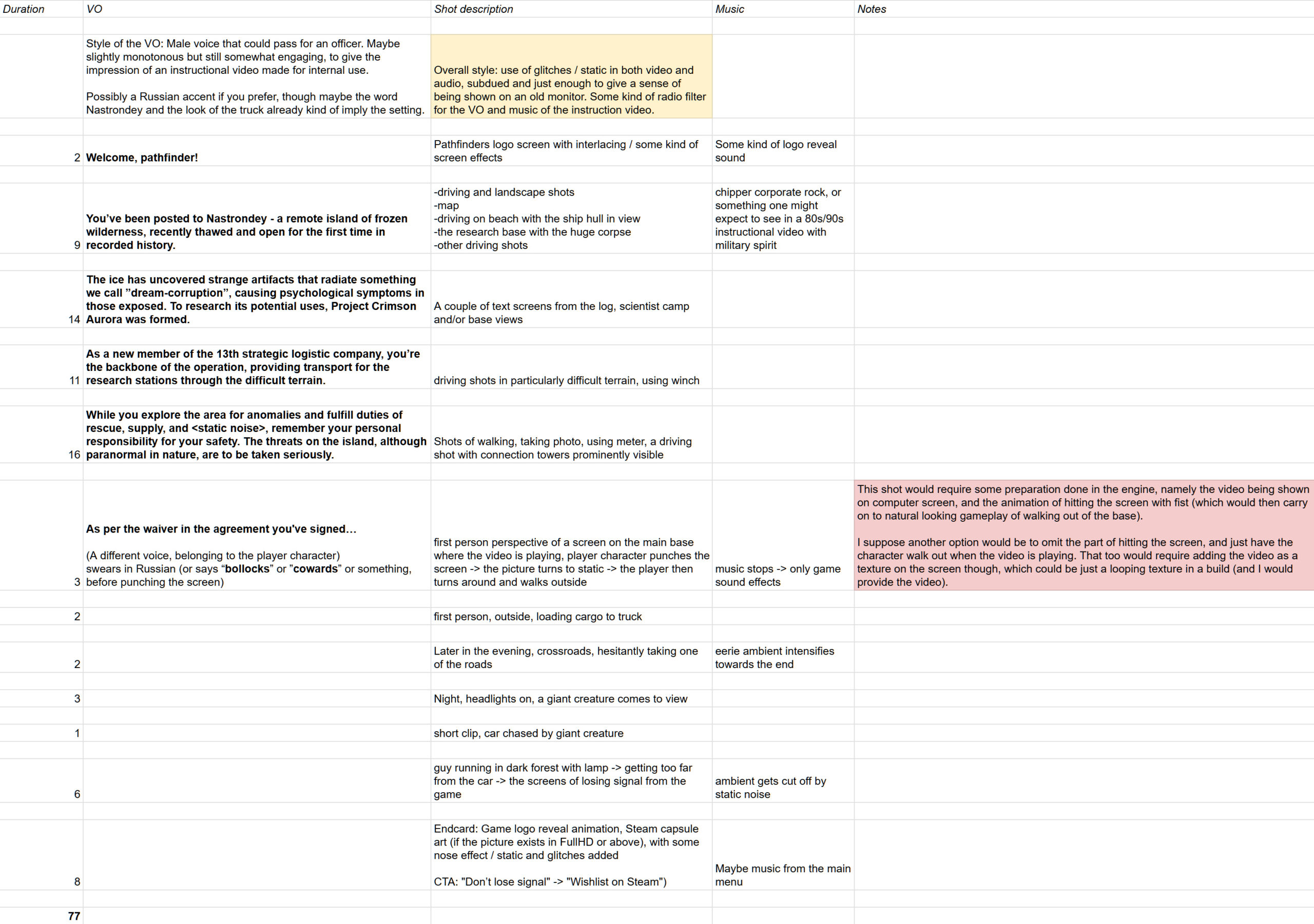
My script suggestion was accepted without changes, apart from the moment where we switch from the screen footage to the player character’s viewpoint, which was originally a lot more tongue-in-cheek. I suggested the character hitting the screen, as an over the top macho reaction to the stories he’s being fed. I thought that made sense as a setup for being “punished” later on by the monster turning out to be real.
There was some confusion about the point of that outburst, so we went with something more neutral (the character just commenting “fairytales”). In hindsight, knowing the tone they went for now better than then, I’m glad we took that route. I also originally suggested the word he says to be in Russian to further differentiate it from the screen footage and add more sense of place, but that was changed to English with a Russian accent.
Why does it begin with a logo?
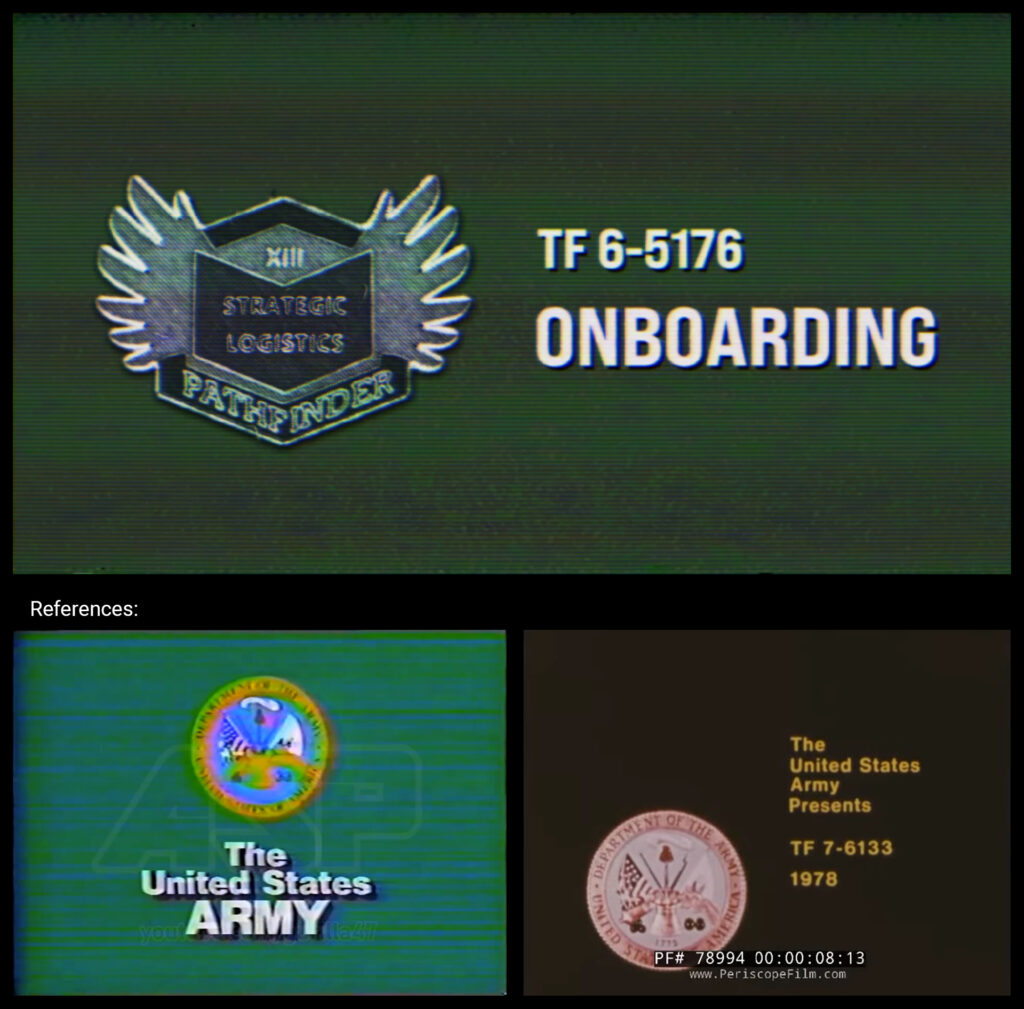
The trailer begins with a screen with a Pathfinder logo from the game on the left, and a title the right. It’s usually not a great idea to use the first seconds of a trailer in logos or title cards. However, in this case, the diegetic logo of a military branch serves a purpose for the story of the trailer itself and helps immerse the viewer in the game world. Along with the VHS distortions and the kind of sound that signifies the beginning of some kind of an infomercial, hopefully it captures curiosity of the viewer as a trailer different from ones they’ve likely seen in a while.
Plus, the military instruction videos I was looking at for reference, also had a title screen in the beginning. The developer linked me this one for music reference, and that YouTube channel proved a treasure trove of examples of the damaged VHS look as well.
Capturing
Capturing was pretty straight forward, the build having a shortcut for hiding the UI and a freecam that made it possible to shoot whatever seemed fitting.
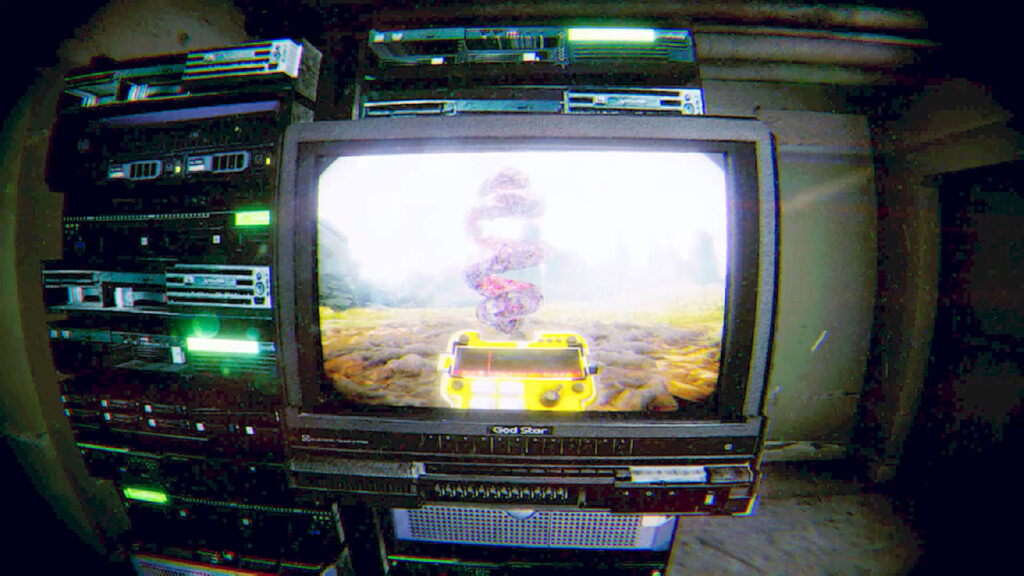
One step out of the ordinary this trailer was the video clip being shown on the terminal. When I had edited the rough structure of the trailer, I sent that snippet to the developers, who added it in a new build as a looping video, so that I could capture the character’s viewpoint of walking out of the facility.
With saves, I usually look where they get stored on my hard drive (I turn off the cloud saves on Steam whenever possible) and make my own folders where I copy-paste saves from different points in the story.
For many of the shots in the latter half of the trailer, including the monster reveal, I got some replacement footage from the developers after my first rough cuts, since they were able to place things in the engine to be easier to capture, and were very specific about getting things like the monster reveal just right.
Editing
At the point where I start editing, the overall structure has been defined quite completely in the written outline. Once the script has been locked, the text titles (or at least their slots) and sections tend to stay unchanged, but in details like how many shots are in each section, I might use more freedom according to what works for the flow of the trailer and makes it pleasant to watch.
Much of the pace is dictated by the voice over, and overall the goal was to get the VO, music and visual side to work well together. I didn’t cut on beat all the time, since it can make the watching experience a bit monotonous. Much of the pacing is also determined by the content of the shots and not having them overstay their welcome, to keep a sense of momentum. Overall, the step of editing the gameplay footage is juggling between those things, once the ground work of defining the structure with a story/outline, music and voice over has already been done.
At the end of the project, there were many adjustments on the monster reveal section with feedback, captures and a rough test edit coming from the developer and publisher. They helped maximize the creepiness by getting the timing just right and avoiding showing the monster too much.
Music
I got a reference for the music as well from the developers, an eerie synth track from the 70s. I searched the sites I use, MotionArray, EpidemicSound and AudioJungle, for music in the same vein, and narrowed down the alternatives by experimenting in my timeline. I edited the best ones to a rough cut and the clients chose this track, E-Vangelicum by XavierDuch.
Voice Over
Whenever there’s a need for a voice over for a project, I search my usual go-to places (BunnyStudio and Fiverr) to provide the clients a short list of suitable candidates based on existing samples.
The developer provided me a reference for the voice over as well, which was the manly, old-timey voice on this video. From a list I compiled, the clients chose Daniel Johnson to do the narration and we loved the result.
Infographics
At 14s, the narration mentions ”dream corruption”, which is a type of radiation the player has to look out for. I saw that as an opportunity to include a learning material style illustration trying to drive home the point that it’s dangerous. For a drawing in a military instructional video, the main goal would probably be clarity rather than artistic flair, which made it natural to use a stock image from MotionArray as the base, for which I animated the expression, rays and particles in After Effects.
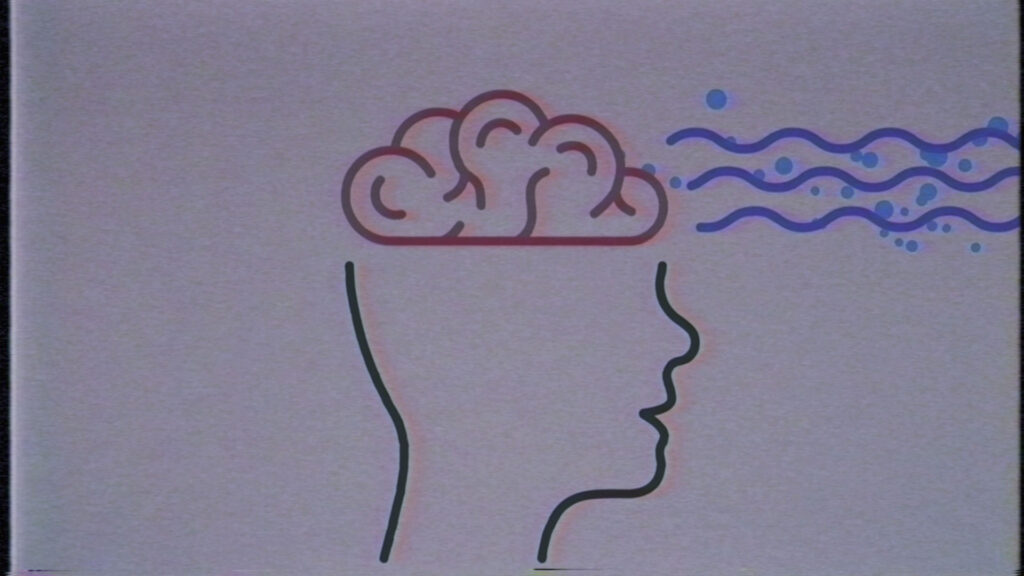
As shown by the Analog Horror video, vague imagery can leave much to the imagination, increasing the spookiness of the thing being described.
VHS Effects
Achieving the look of a worn-out VHS tape with effects was something new to me, but this old military training film provided a good reference for that as well.
The best method I found for matching the look was a plugin called Signal for After Effects (to handle the distortions and add some grain and chromatic aberration), combined with some stock footage placed on top with Screen layer mode. I used them quite randomly, avoiding déjà vu moments in the tape damage.
The effects aren’t perfect, and in hindsight, I could’ve probably done more to try to match the pixels of the tape damage and game footage for example. Anyway, they serve their purpose, and the process was an interesting new foray for me.
Audio Adjustments
For making the audio sound convincing as coming from an old VHS tape, I followed this tutorial, and also added some keyframes for a Pitch Shifter effect at the glitches.
At 49s, there’s a change in the sound as we switch from the distorted low-fi sound of the video, first to a version with room reverb and ambient hum of the game, and then fading out the screen audio as the character walks out. There’s also a 1ms delay on the left ear when the character is turning, to make it sound like the screen audio is coming from the right, but that’s pretty much unnoticeable.
I also added some stock sounds to further bring the video to life. In addition to the VHS glitch sounds, for the beginning, there’s the infomercial chime, and for the tense section at the end, sound effects like a low drone, a riser and a soft horror stinger sound to flesh out the mood.
Conclusion
I think the trailer did well because people like to see something new. The game is a novel concept with its very specific distinct look, but the idea my clients had, of making the trailer an instructional video, also added another layer with which to stand out from the crowd. I’m glad I got to help bring the dangers of “dream corruption” and giant, wandering skeletons to the awareness of players with my work on the trailer. 🙂